


Need a roller banner for your next exhibition? View our full range of roller banners here.
When creating artwork for roller banners, choosing the correct DPI (dots per inch) is essential. While 300dpi is often considered the standard for print, large format displays such as roller banners work differently.
This guide explains the best DPI for roller banners, why 300dpi is usually unnecessary, and how to achieve the best print quality without creating oversized files.
What Is the Best DPI for a Roller Banner?
The best DPI for a roller banner is typically around 120dpi at full size. This provides the ideal balance between image quality and manageable file size for large format printing.
Because roller banners are viewed from a distance, lower DPI settings still produce sharp, professional results without the need for extremely large files.
Why 300 DPI Is Too High for Roller Banners
Although 300dpi is standard for small print items like business cards or brochures, it is usually unnecessary for large format graphics.
- Larger file sizes: artwork becomes harder to manage and slower to upload
- Slower performance: design software can struggle with large files
- No visible benefit: high DPI is not noticeable at typical viewing distances
For roller banners, increasing DPI beyond 120 does not significantly improve perceived print quality.
Why 120 DPI Works for Large Format Printing
Roller banners are designed to be viewed from a distance, typically between 1 and 3 metres. At this range, the human eye cannot distinguish the difference between 120dpi and higher resolutions.
This makes 120dpi the most efficient and practical choice for large format print.
- Maintains sharp and readable graphics
- Keeps file sizes manageable
- Speeds up design and upload processes
If you are unsure about sizing, see our roller banner size guide.
Understanding Viewing Distance and DPI
The correct DPI depends on how far away the banner will be viewed.
- Close viewing (1 metre): higher detail required
- Standard viewing (1–3 metres): 120dpi is ideal
- Long distance (3m+): lower DPI can still be effective
Because roller banners are rarely viewed up close, lower DPI settings remain highly effective.
Artwork Tips for Roller Banner Printing
- Set artwork at full size where possible
- Use high-quality source images to avoid pixelation
- Keep text large and readable for viewing at distance
- Avoid placing key content at the bottom where it may be hidden in the cassette
For more help, see our roller banner design guide.
DPI vs Printer Resolution (Important Difference)
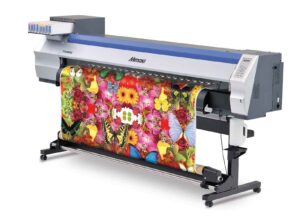
DPI refers to the resolution of your artwork file, while printer resolution refers to the number of dots a printer can physically produce.
For example, a printer may output at 720dpi or higher, even if your artwork is set at 120dpi. This ensures smooth gradients and sharp results in the final print.
Quick Summary: Best DPI for Roller Banners
- Recommended DPI: 120dpi at full size
- 300dpi: unnecessary for large format prints
- Focus on: good design, contrast and readability
Need Help with Roller Banner Printing?
Looking for a professionally printed roller banner? Explore our full range of roller banner printing options, including standard and premium displays for exhibitions and events.






Leave a Reply
You must be logged in to post a comment.